Build anything with
AI-powered development
Complete cloud workspaces with AI coding assistance built in. Spin up sandboxes, scaffold frameworks, and deploy - all from your browser.
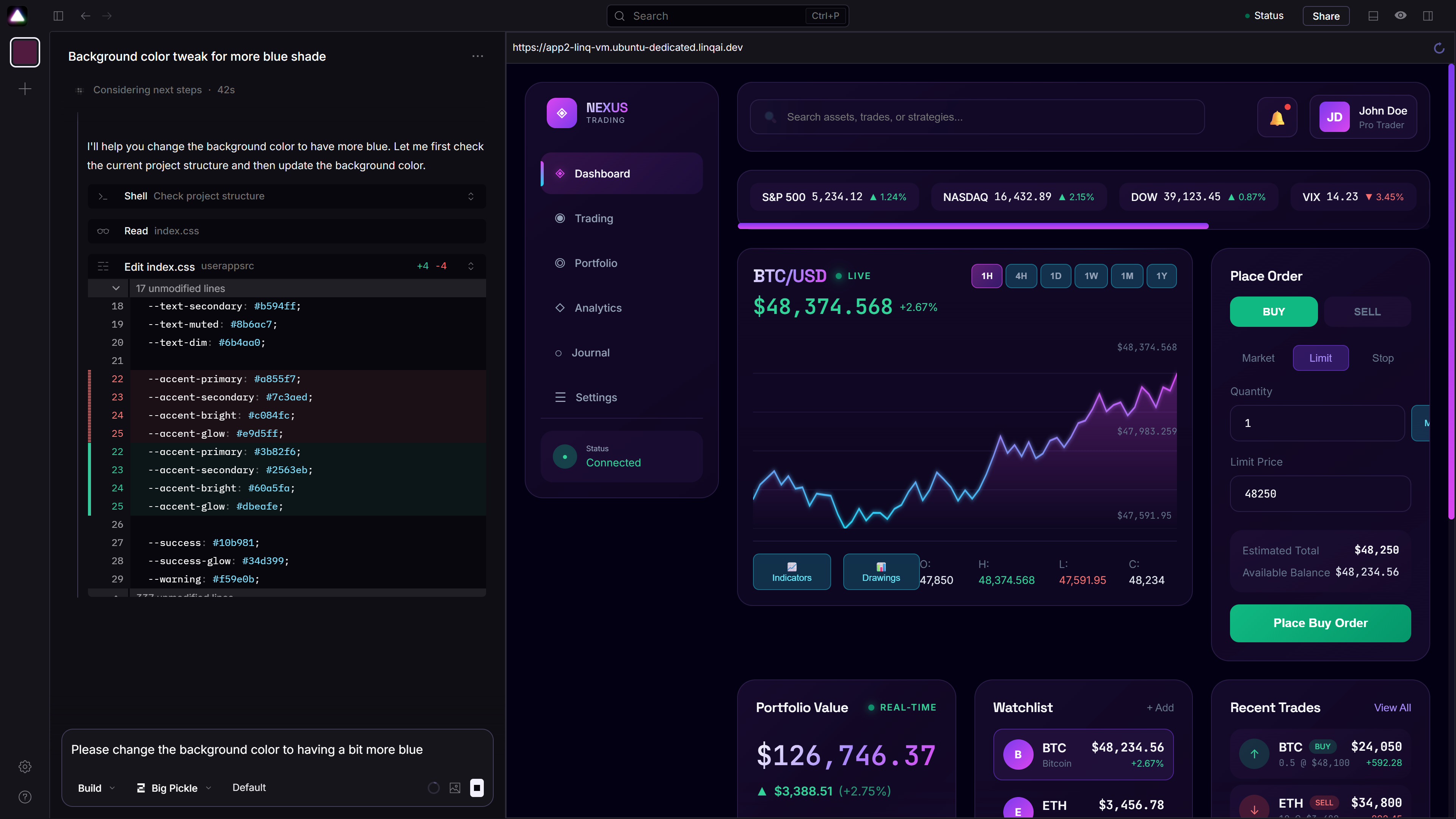
AI chat + live preview + terminal — all in your browser
Not just a code editor - a complete development platform
Aura Code is a managed cloud development environment that runs on LinqProtocol. When you create a new sandbox, you get a complete VM with an AI-powered coding client that understands its environment.
Unlike browser-based IDEs that give you a text editor and nothing else, Aura Code provides:
From zero to deployed in minutes
Create a Sandbox
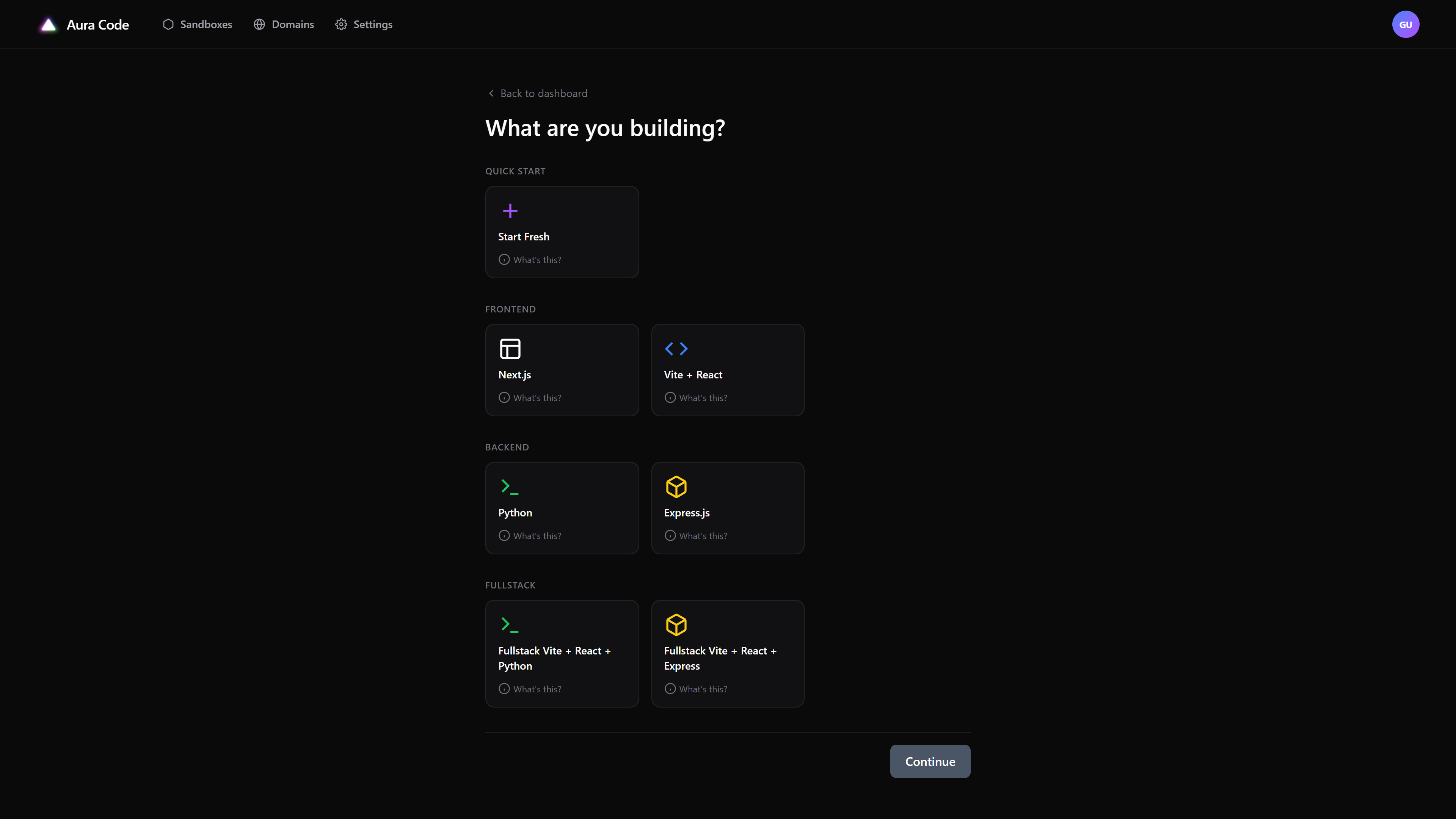
Click "New Sandbox" and choose your starting point: start fresh, or scaffold a framework like Vite + React, Express, Python, or Fullstack Next.
Build with AI
Open the Aura Code console - a split view with chat on the left and live preview on the right. Ask the AI to generate code, create files, or debug issues.
Use the Terminal
Every sandbox has a live terminal. Install packages, run scripts, inspect logs - everything you'd do locally.
Deploy Instantly
When you're ready, your app is already running. Each sandbox gets three domain slots: API, frontend, and console.
Everything you need to build and ship
Full Docker Sandboxes
Not lightweight containers - complete isolated environments. Install anything, run any process, use any tool.
Framework Scaffolding
Start with the right foundation: Vite + React, Express.js, Python, or Fullstack Next. Skip the boilerplate.
Live Terminal
Full terminal access in every sandbox. Run commands, install dependencies, debug processes - just like local dev.
3 Domain Slots
Each sandbox gets three domains automatically: API, Frontend, and Console. All provisioned and ready to share.
AI That Understands Context
Built on a customized OpenCode fork, our AI knows your files, your running processes, and your deployment environment.
Persistent Workspaces
Your sandbox keeps running after you close the console. Share your app URL, come back later, pick up where you left off.
Start with the right foundation
Choose your stack and skip the boilerplate.
Each scaffolding option sets up a complete project structure with dependencies, build tooling, and dev server configured and ready to go.
What developers are building
Rapid Prototyping
Go from idea to working demo in an afternoon. Scaffold, iterate, and share a link.
Learning & Experimentation
Try new frameworks without local setup. Experiment with APIs. Build to learn.
Client Demos
Build quick demos and share the URL. No "it works on my machine" excuses.
API Development
Spin up backends with Express or Python. Test endpoints live. Integrate with external services.
Landing Pages
Build marketing pages with AI assistance. Preview live as you develop. Deploy when ready.
Getting the most from Aura Code
If changes aren't reflecting
The live preview may cache content. Open your app in a new tab and do a hard refresh (Ctrl+Shift+R).
If the AI stalls
Simply send "Continue" in the chat to resume progress from where it left off.
If the AI gets stuck
Try rephrasing your prompt. Complex tasks might need to be broken into smaller steps.
Leveraging APIs
Integrate with thousands of external APIs - DEX aggregators, calendars, automation tools, and more.
Aura Code runs on LinqProtocol
Aura Code sandboxes are deployments on LinqProtocol. You pay for the compute resources your sandbox uses, just like any other deployment.
View Pricing